


SaaS & B2B Sales
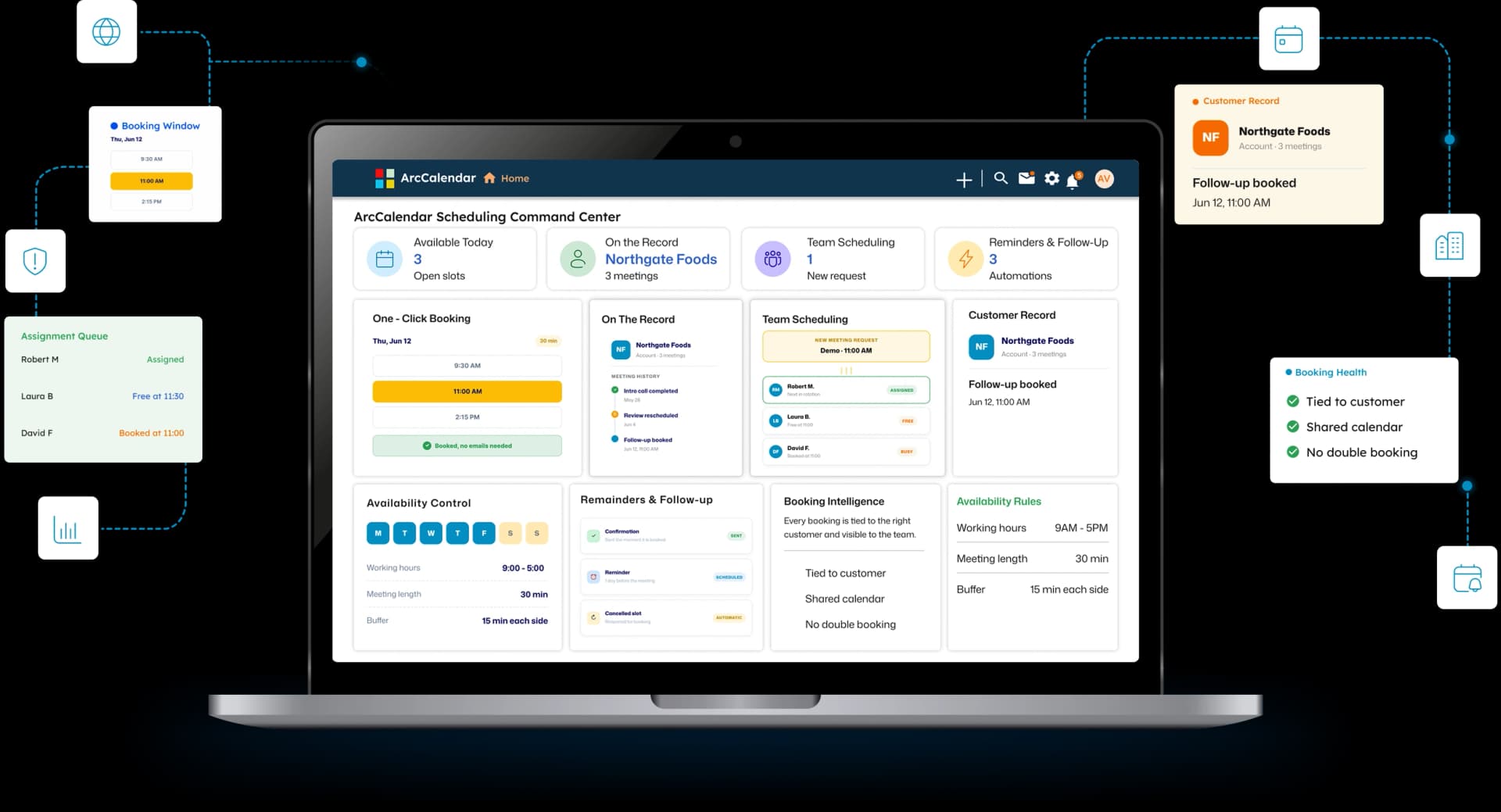
SDR and AE teams booking demos, discovery calls, and follow-ups all day. ArcCalendar ties every meeting to the right lead, shares team availability fairly, and keeps the full history on the customer record.

Most scheduling tools work on their own, with no link to the rest of your business. ArcCalendar is part of your suite, so every booking is tied to the right customer and visible to the team. One click for the customer, and nothing to copy into another tool.
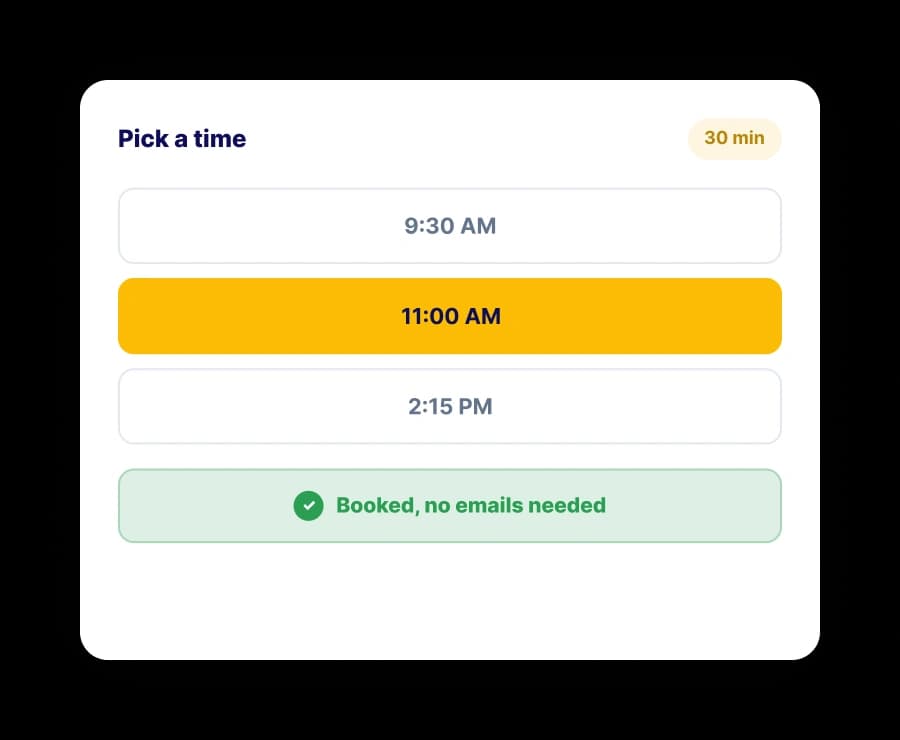
One-Click Booking
No one wants to send five emails just to find a slot. With ArcCalendar you share a link, the customer sees the times you are actually free, and they book in a click. It checks your connected calendars first, so you are never double booked, and the meeting lands straight on your schedule, already confirmed.
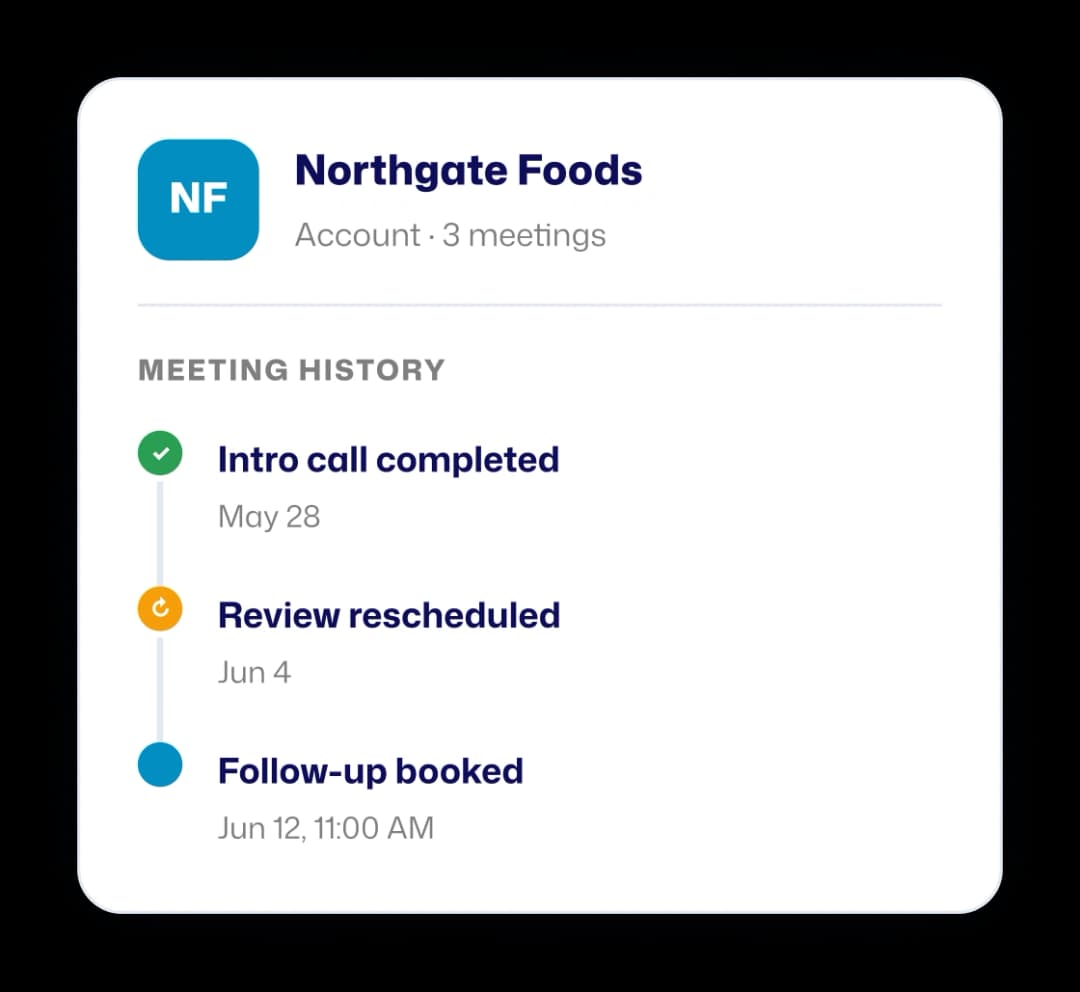
Connected To Your CRM
When a scheduler sits outside your business, someone has to copy every meeting into the CRM by hand. ArcCalendar is part of the same suite, so each booking is tied to the right customer on its own. The team sees the full history on the record: what was booked, what changed, and who showed up.
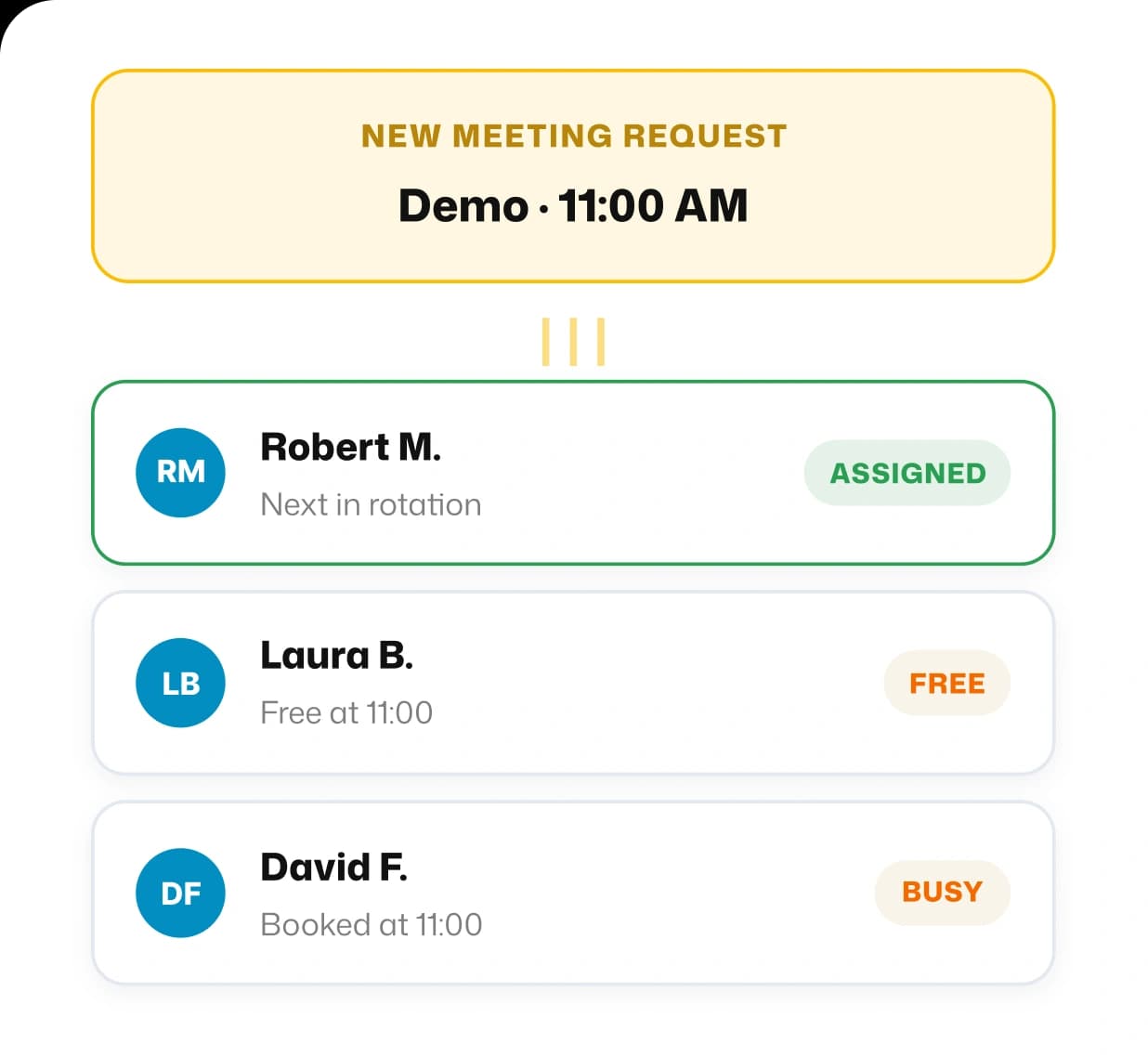
Team Scheduling
Give customers one page to book with your whole team, or with the exact person they need. When the choice is open, ArcCalendar shares incoming meetings across the team in turn, based on the priority you set, so the load is fair and no lead waits. Everyone's real availability is respected, so meetings never land on someone who is already booked.
Availability Control
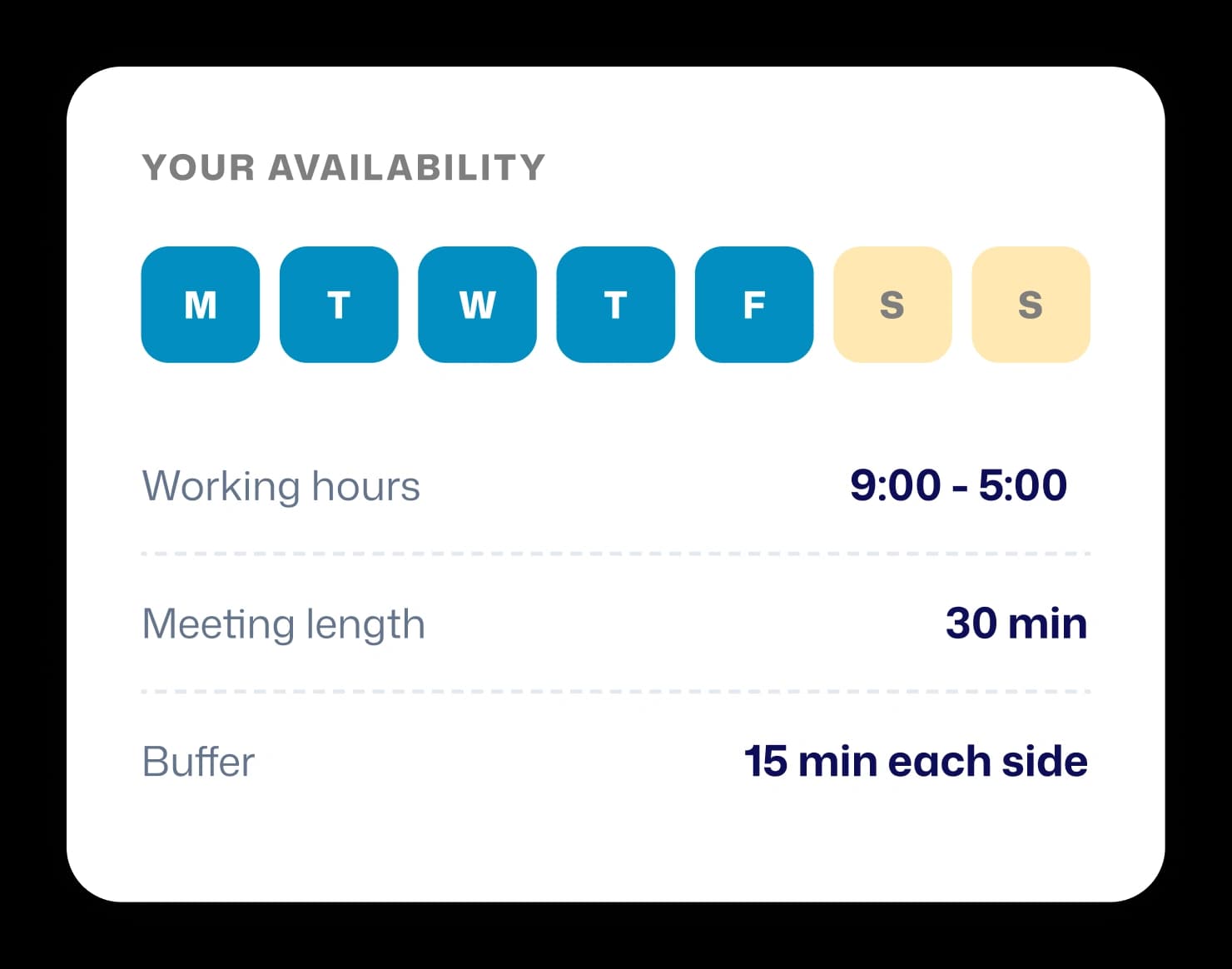
Set your working days and hours, the length of each meeting type, and buffer time before and after so meetings do not run into each other. Offer recurring slots, one-time windows, or a fixed date range. Customers only ever see the times you actually want to give them, so your day stays yours.
Reminders & Follow-Up
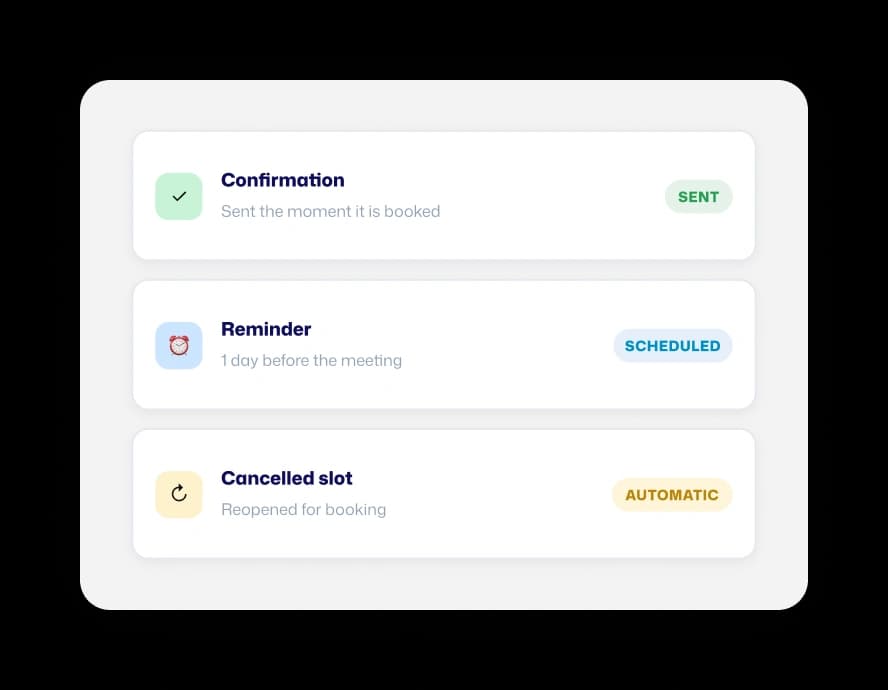
ArcCalendar confirms every booking right away and reminds both sides before the meeting, at the intervals you choose. If a customer reschedules or cancels, the open slot frees up for booking on its own. Fewer no-shows, and no time spent chasing people about meetings they already agreed to.
Industries We Serve
SDR and AE teams booking demos, discovery calls, and follow-ups all day. ArcCalendar ties every meeting to the right lead, shares team availability fairly, and keeps the full history on the customer record.
Agents and inside sales teams scheduling showings, valuations, and callbacks. ArcCalendar lets customers pick a time in one click, respects real availability, and logs every meeting against the right contact.
Advisors and service teams managing client appointments, renewals, and reviews. ArcCalendar confirms bookings automatically, sends reminders, and keeps every meeting visible to the team on the customer record.

